
This file shows how to create click behaviour with AS3. Download Click Baheviour CS4 Flash file

This file shows how to replace a cursor by a movie clip. Download Cursor CS4 Flash file

File example on how to make something follow the mouse position on click.Download
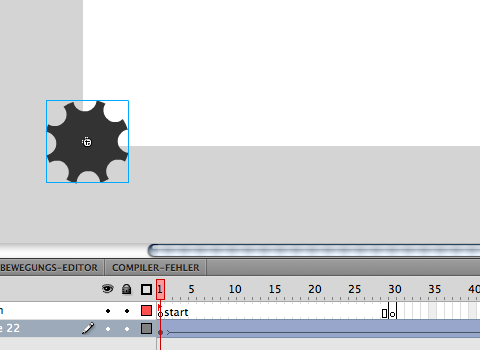
This file shows how to change tempo within one move. Download Tempo CS4 Flash file

Another example of rotating and moving gear wheels. Download Moving gear wheel CS4 Flash file

Example of rotating gear wheels.Download Gear wheels CS4 Flash file

Example of fading pictures.Download Fading pictures CS4 Flash file

Use a free form to make your objects move across the stage. Download Path_01 CS4 Flash file

This file shows how to make something travel along a path. Download Path CS4 Flash file

This Flash file uses text as animated mask. Download Text mask CS4 flash file
This data package shows you how to use tweens with text. Download Typo_rotate CS4 Flash file
This is a basic Flash tutorial on how to use tweens. Download tween CS4 Flash file

File example on basic rotational movement. Download Basic rotation CS4 Flash file

Use mouse to vary light and shadow. Tutorial by Ramesh Palischat. DragButton d_s = new DragButton(300,300,40); DragButton d_e = new DragButton(100,100,60); float SHADOW_ALPHA = 180; float SHADOW_MAX_LENGTH = 15; void

Click on stage to create drops. boolean locked = false; // regelt das nur einmal in die If Abfrage gesprungen wird //Array initialisieren mit 10Teilnehmern float[] tropfenX = new

Use the mouse to draw on stage with varying line stroke. float distance = 0; void setup(){ size(600, 600); smooth(); } void draw(){ //wenn mouse gedrückt dann...

This is a basic example on how to use matrixes and the push/pop command. void setup(){ size(400,400); } void draw(){ //setzt den Hintergrund weiss background(255); smooth(); //füllfarbe rot

This is how to make Processing draw a drop on the stage. int coord = 0; // X- und Y-Koordinate int d = 1; // Kreisdurchmesser void setup() {
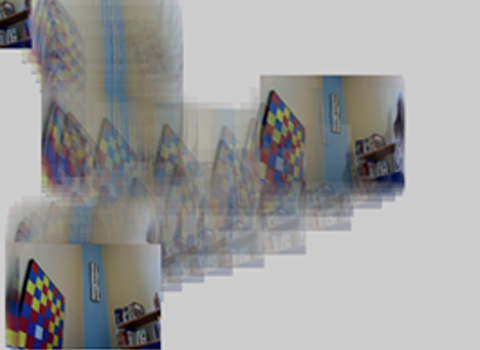
This is on how to use the live camera picture to draw the screen. /** * Getting Started with Capture. * * Reading and displaying an image from an attached
Click on the stage to make the object follow the mouse float sollPosX, sollPosY; //zielposition wird bei mousklicken gesetzt float posX, posY; //aktuelle position der ellipse die sich dem zielpunkt

Inspiriert durch das Hintergrundbild auf der Website von London Elektricity habe ich mich daran gemacht einen ähnlichen Effekt in Processing zu erzeugen. Oben seht ihr das Ergebnis. Neu laden erzeugt

http://ruinwesen.com/support-files/mididuino/mididuino-documentation.pdf

Importing a design from Photoshop Creating a First Web Site with Flash CS4 Professional | by Paul Trani View this entire ActionScript course and more in the lynda.com Online Training

Reviewing ActionScript 3.0 basics ActionScript 3.0 in Flash CS3 Professional Beyond the Basics | by Todd Perkins View this entire ActionScript course and more in the lynda.com Online Training Library®.
Präsentation Open publication - Free publishing Übersicht Open publication - Free publishing - More flash
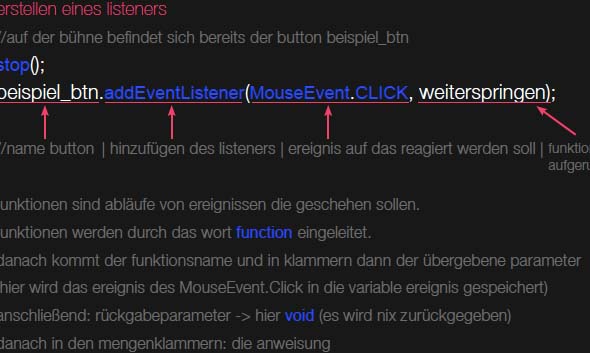
This is a basic introduction into Flash and Action Script by Robert Fritze. Open publication - Free publishing - More tutorial Download this as a PDF Document
[osm_map lat="52.141" long="11.679" zoom="16" width="600" height="450" marker="52.141,11.679" marker_name="marker_blue.png"]

Hier noch eine kleines Tutorial zum Thema Lichtatmosphäre und Fading. Das Video und die englische Beschreibung gibts hier. Das Arduino steuert die LED’s in Helligkeit durch eine PWM Modulation. Wie

Das Nindeno DS verfügt über einen kleines, jedoch qualitativ hochwertiges Touchpad. Dieses kleine Pad lässt sich unglaublicherweise mit dem Arduino, und damit mit Hardware und Software verbinden.

Eine Vielzahl an Gegenständen, Materialien und Geräten können mit RFID Chips versehen werden. Diese Chip wiederum können mit einem entsprechdem Lesegerät erkannt werden und Informationen vermitteln. Dieses Prinzip ist in

Kleine LED Leuchten bieten die Möglichkeit das additive Farspektrum abzubilden. (RGB) Jeder Farkanal kann dieszbezüglich einzeln angesteuert werden. Die farbigen LED sind einzeln erhältlich oder können wie im Beispiel unten

Eine sehr spannendes und ästhetisches Element ist die Verbindung zwischen fester Form und Flexibilität. Dynamische Formen können per magnetischem Feld erzeugt und verändert werden. Dies ist möglich durch eine von

Im Gegensatz zu den Piezzo Elementen sind FSR Sensoren weit sensibler und besser steuerbar. Leider auch nicht so kostengünstig. Die – force sensitive resistor – Sensoren bieten ein genaueres Spektrum