
This file shows how to create a slideshow on click.Download Slideshow CS4 Flash file

Prof. Dr. Christine Strothotte, Technologies for Interaction Design, Prof. Steffi Hußlein, Interaction Design in Kooperation mit Prof. Bernhard Schmid-Wohlleber, Grundlagen der Gestaltung, Dipl. Des Holger Thies, Modellbau / Technologie und
Prof. Dr. Christine Strothotte, Technologies for Interaction Design Prof. Steffi Hußlein, Interaction Design Tutor Sascha ReinholdElosge Sebastian // B.A. Industrial Design, Basic Interaction, Sommersemester 2010, 2. Sem.Wellhöfer, Ann-Catrin // B.A.

Prof. Dr. Christine Strothotte, Technologies for Interaction Design Prof. Steffi Hußlein, Interaction Design Tutor Sascha ReinholdElosge Sebastian // B.A. Industrial Design, Basic Interaction, Sommersemester 2010, 2. Sem.Christian, Bohrer // B.A.
Prof. Dr. Christine Strothotte, Technologies for Interaction Design Prof. Steffi Hußlein, Interaction Design Patrick Bösch // // B.A. Industrial Design, Basic Interaction, Sommersemester 2010, 2. Sem. Franziska Timm // B.A.


Click on stage to draw static geometry. void setup() { size(400, 400); background(255); } void draw() { if (mousePressed){ //parsen der funktion random mit (int) zu einer Integer Zahl



Since Flashplayer 10, Actionscript is more comfortable with sound and management. To get an impression of the possibilities, have a look at the NAGNAG V2 of Hellostudios. DOWNLOAD THE PROTOTYPE

This script collection shows how to use Sound in ActionScript. There are several versions from beginner to advanced. have a look on the Sources. DOWNLOAD ALL THE SOURCES

This small tutorial shows how to use the microphone level as input to a flash application. The whole sourcecode is available over here. DOWNLOAD THE SOURCE

It is possible to connect the ARDUINO with ActionScript 3 application. Since the FlashPlayer is a Client-based technology it has no rights to connect to Devices other than webcam or

Here we got a small collection of webcam applications for AS3. The code is not the easiest, but its documented very well. MANY thanks to the guys of SOULWIRE and

TweenLite is an extremely fast, lightweight, and flexible tweening engine. A TweenLite instance handles tweening one or more numeric properties of any object over time, updating them on every frame.

An excellent tutorial can be found at SOULWIRE. Have a visit! Have a look on the online demonstration!

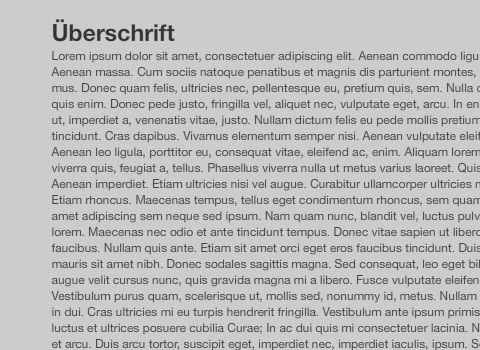
This tutorial by Sascha Reinhold is on how to create a scrollbar in Flash. Use the scrollbar on the right.Download CS4 Flash File scrollbar_new_fla
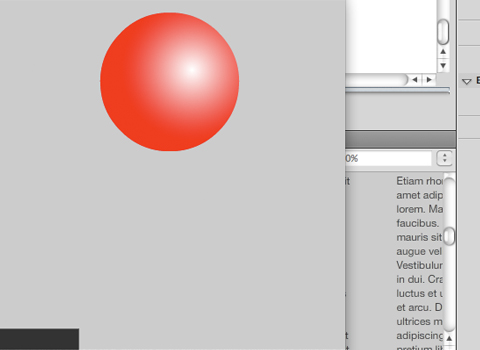
This tutorial by Sascha Reinhold is on how to enble drag and zoom in a swf file. Use mouse to drag and drop and arrowkeys to enlarge and resize.Download CS4
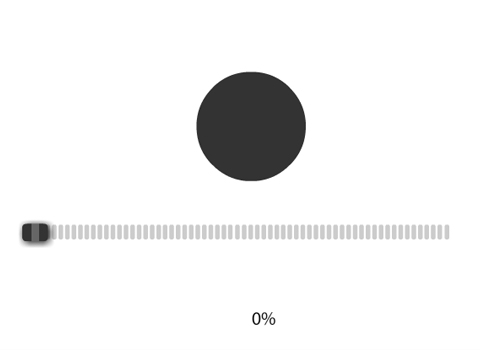
This tutorial by Sascha Reinhold is on how to create a slider to manipulate a moviescript. Use the slider on the bottom right to make the ball bounce.Download CS4 Flash
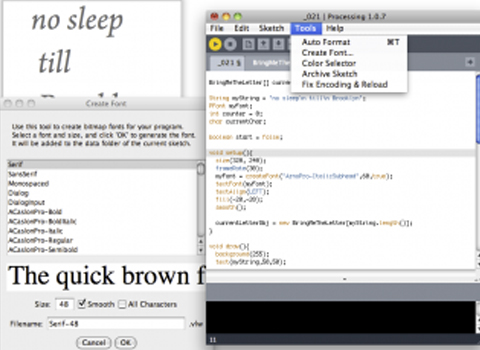
Schrift in Processing einbinden Schrift wird zusätzlich zur .pde Datei im Folder /data unserer Applikation zur Verfügung gestellt. Mit dem Processingeditor kann man das einfach über Tools -> Create Font

Spieglein Spieglein In diesem Beispiel bewegen sich Linien von der Mitte der Screen zum linken Bildrand. Auf der rechten Bildhälfte passiert das genau gleiche, nur spiegelverkehrt – aber trotzdem mit

Von Markus Walthert Objekt Die Stärke von Objekten beim programmieren ist, dass ein einmal definiertes und beschriebenes Objekt unendlich oft als Instanz weiterverwendet werden kann. Indem man dem Objekt unterschiedliche

Button und Mausabfragen In einem sogenannten Hittest frage ich die Mausposition ab. Um zu kontrollieren, ob ein viereckiger Button gedrückt wird, brauche ich die x und y Koordinate links oben

Bild- und Pixeloperationen Bilder können in mit loadImage() geladen und im PImage Objekt weiter verarbeitet werden. Neben dem einfachen Darstellen des Bildes kann man auch Pixel um Pixel verändern, ähnlich
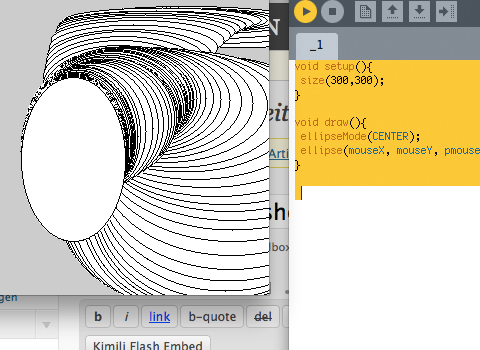
Nach einem Tutorial von Markus Walthert setup und draw Die Grundzüge einer einfachen processing Anwendung besteht aus dem setup() und dem draw(). Das setup() wird in der Programmausführung einmal durchlaufen


DONWLOAD ALL TUTORIALS HERE EPISODE 1 > a dot moves to a random position on the stage. import com.greensock.*; import com.greensock.easing.*; var randomX:int = 0; var randomY:int = 0;

This is an example on how to use ActionScript to manipulate a movie scripts attributes.Download

This file shows how to make something avoid the mouse on click. Download Avoid mouse CS4 Flash file

This small example shows how to use the function hittest Actionscript3. Check out the sources. DOWNLOAD THE SOURCE

This code snippet shows how you can drag an object. Download Dragger Flash File

This small tutorial shows how to use the mouse input in Actionscript3. There are several EventListeners that can be used. Check out the sources. DOWNLOAD THE SOURCE
This file shows how to trace mouse over/out/click a button. Download Button trace CS4 Flash file